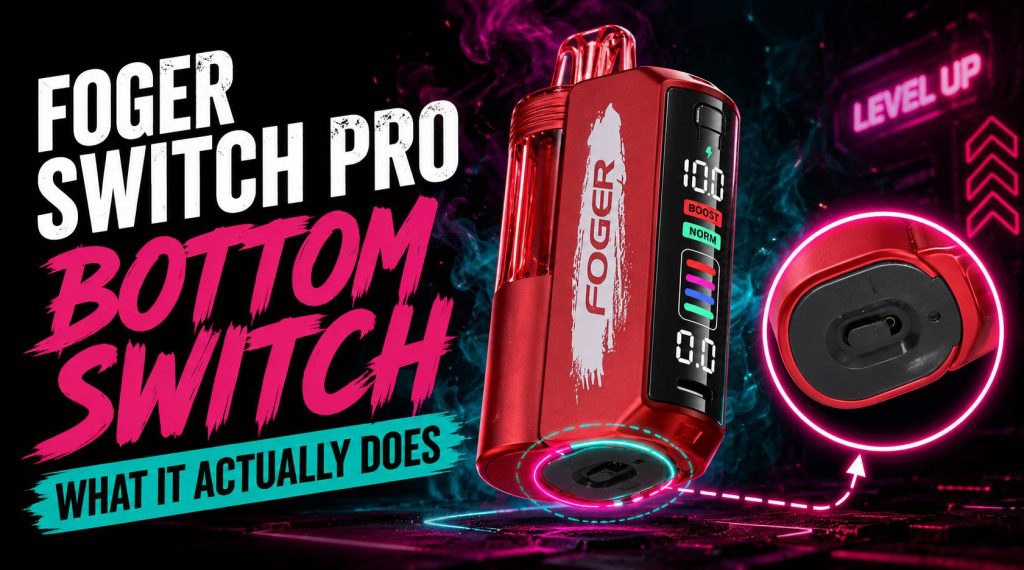

The Foger Switch Pro 30K stands out in a crowded disposable vape market not through hype, but through practical, user-centric design. Its combination of a detachable battery system, a transparent OLED display, and dual power modes offers a level of control rarely found in this category.
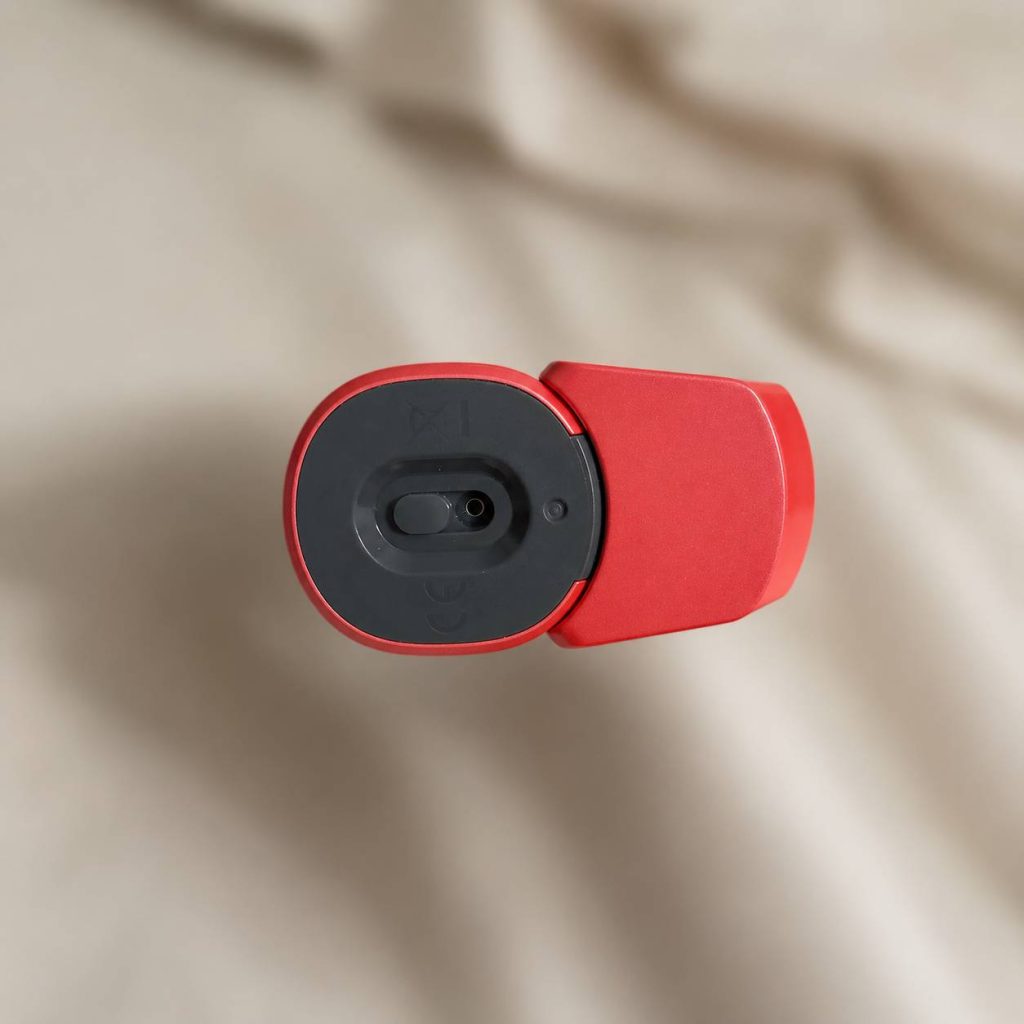
However, the feature that generates the most questions is the small switch on the device’s base. Frequently mistaken for a power button, its actual function is central to personalizing your experience. This guide provides a clear, factual explanation of that bottom switch and how it works in concert with the device’s other controls.
What’s the Foger Switch Pro 30K All About?
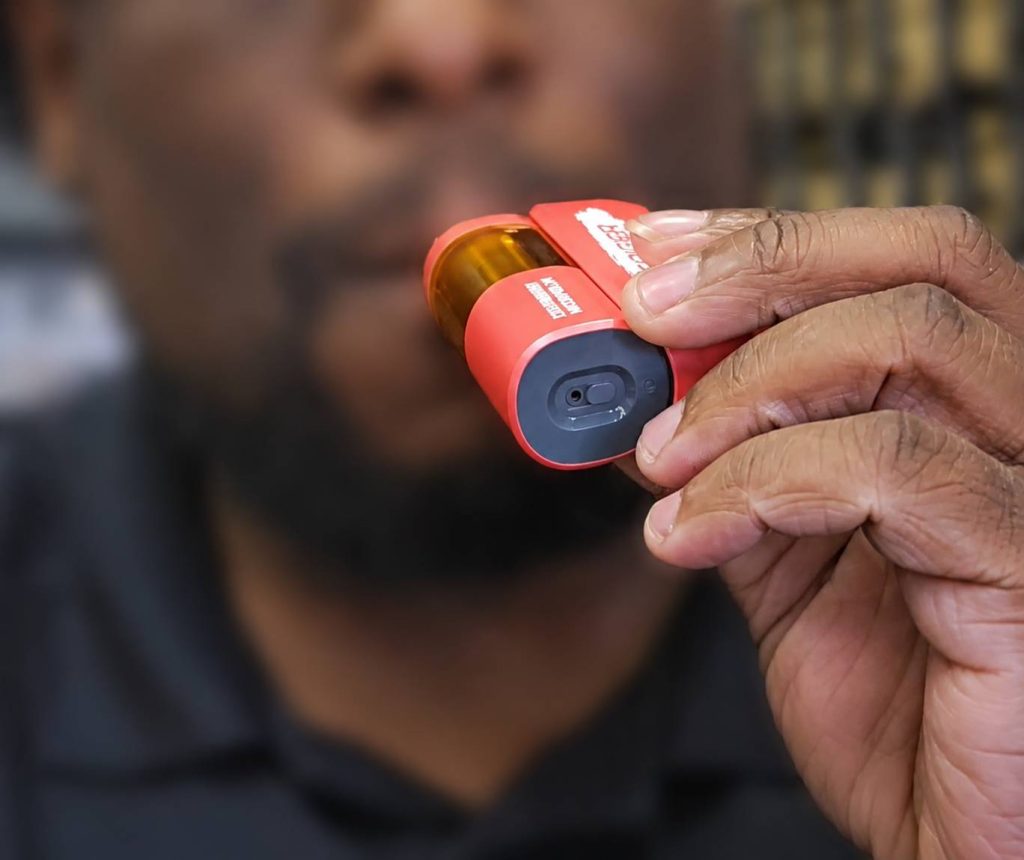
Before focusing on a single control, it’s helpful to understand the device as a whole. The Foger Switch Pro 30K is a draw-activated disposable with a modular design, split into two magnetic sections.
- Pod Section: This houses a pre-filled 19mL e-liquid reservoir and an integrated dual-mesh coil. The transparent shell lets you visually check your remaining juice level.
- Battery Section: This is a 1050mAh rechargeable power bank that detaches magnetically for convenient charging. This separation means battery life and e-liquid capacity are independent of each other.
- OLED Display: Located on the battery section, this screen provides real-time data: exact battery percentage, a puff counter, and your current power mode (Normal or Boost).
- Side Button: Used solely to toggle between Normal mode and Boost mode.
- Bottom Switch: A sliding mechanism dedicated exclusively to airflow adjustment.
- USB Type-C Port: Located on the battery module for fast, reliable charging.
This architecture is designed for transparency and flexibility, moving beyond the “use-and-throw-away” limitations of standard disposables.
How Does the Bottom Switch Work?
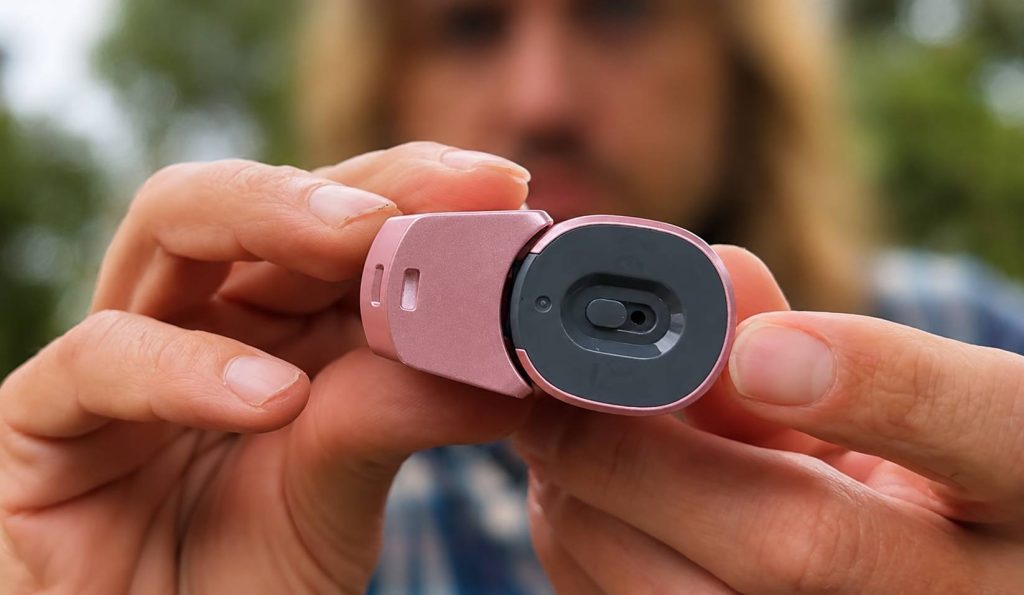
The single most important fact for new users is this: the bottom switch is not an on/off switch. The Foger Switch Pro 30K has no firing button; it activates automatically when you inhale. The bottom switch has one dedicated function: it is a mechanical airflow controller. Sliding it changes the size of the air inlet, which directly affects two things: the resistance you feel when drawing, and the character of the vapor produced.
Bottom Switch Positions:
- Closed or Near-Closed: Creates a tight draw with significant resistance, ideal for Mouth-to-Lung (MTL) inhales. Produces warmer vapor and more concentrated flavor.
- Fully Open: Unobstructed airflow for Direct-Lung (DL) inhales. Cooler, smoother vapor with larger clouds. Flavor may be perceived as lighter.
- Intermediate Positions: Fine-tune between extremes for a balanced hit—combining cloud volume with dense flavor or making MTL draws more comfortable.
Practical Tip: If a flavor tastes muted, open the airflow slightly. If a hit feels thin, close the switch down to warm the vapor and concentrate the taste. The optimal setting is personal and can vary by flavor.
What About Other Controls?
The airflow switch works in combination with the device’s dual power modes, toggled by the side button and displayed on the OLED screen. Understanding this relationship is key to mastering your vape.
Normal Mode (“NORM”)
- Calibrated for efficiency and longevity, up to 30,000 puffs.
- Tight Airflow: Classic warm MTL hit, discreet and flavorful.
- Open Airflow: Smooth, cool DL experience with moderate cloud production, ideal for all-day use.
Boost Mode (“BOOST”)
- Increases power to coils, prioritizing warmth, density, and intensity, up to 18,000 puffs.
- Open Airflow: Optimal for cloud production; large, dense clouds with cooler vapor.
- Tight/Mid Airflow: Can produce very warm, intense hits. Best used mostly open unless you want an aggressive sensation.
This combination of two power levels and a continuous airflow slider allows for a precise vaping style, from discreet MTL puffs to large DL clouds.
How Do You Charge Your Foger Switch Pro 30K?
- Slide the pod and battery sections apart to detach the magnetic connection.
- Plug a USB Type-C cable into the battery module.
- OLED display shows real-time charging status. Disconnect at 100%.
Tips for Safety and Longevity: Use a standard charging adapter, avoid extreme temperatures, and do not leave the battery plugged in after full. The detachable pod lets you charge safely away from the e-liquid.
Flavor and Your Settings
The Foger Switch Pro 30K comes in a wide variety of flavors, including fruity blends like Frozen Watermelon and Grape Slush, and dessert-inspired flavors like Vanilla Cupcake. The dual-mesh coils provide consistent flavor, but your airflow and power settings are key adjustments:
- Open/cool airflow highlights bright, crisp top notes in fruity blends.
- Tighter/warmer airflow amplifies sweet or rich notes in dessert or tobacco flavors.
- Experiment to find the best combination for each flavor.
Frequently Asked Questions (FAQs)
Q: Is the bottom switch a power button?
A: No. The device is entirely draw-activated. The bottom switch only controls airflow.
Q: Can I leave the airflow fully open all the time?
A: Yes. It won’t damage the device. Open airflow is ideal for DL inhales and cloud production.
Q: Will adjusting the bottom switch change the flavor?
A: Yes, indirectly. Closed switch concentrates flavor, open switch produces cooler, lighter vapor.
Q: What makes the Foger Switch Pro 30K reliable compared to simpler disposables?
A: Its reliability comes from the OLED display, detachable battery system, and customizable airflow—giving control over flavor and draw.
Q: How do I get the best performance?
A: Use the three controls together: bottom slider for draw resistance, side button for power mode (Normal for efficiency, Boost for intensity), and OLED screen for monitoring. Experiment to match your style.
Conclusion
The Foger Switch Pro 30K works because its parts work together. The bottom switch is an airflow controller, not a power button, shaping your draw resistance. Pair it with Normal or Boost mode, monitor the OLED display, and rely on the detachable battery for uninterrupted use. Master these controls—slider for draw, button for intensity, screen for feedback—and the device becomes a dependable, adaptable tool rather than a simple disposable.